
Overheating & Power Issue Repairs
Is your projector completely dead, making a clicking noise, or shutting down unexpectedly? Our London engineers specialize in micro-soldering and thermal overhauls to bring your unit back to life.
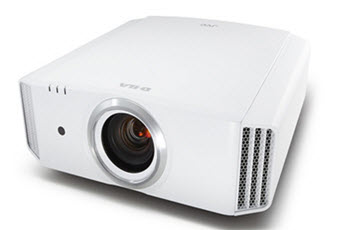
Overheating Symptoms
- • Fans running at max speed
- • Unit shuts off after 5 mins
- • "Temp" light flashing
Power Issue Symptoms
- • No standby lights at all
- • Clicking noise at start
- • Lamp fails to strike
Power Supply & Ballast Repair
A dead projector doesn't mean a dead investment. Power supply units (PSU) and lamp ballasts endure immense stress, converting standard AC mains into the high voltage needed to strike projector lamps. When these components fail due to power surges or standard degradation, the projector will either refuse to turn on, or you will hear a repetitive clicking sound as it fails to ignite.
Our Component-Level Fix:
Instead of charging you for an entirely new £400 motherboard or PSU, our specialized engineers trace the fault down to the circuit board level.
- Micro-Soldering: We identify and replace blown capacitors, shorted MOSFETs, and fried IC power chips directly on the board.
- Ballast Rebuilding: We repair the high-voltage ignition systems responsible for turning the lamp on.
- Surge Recovery: Deep diagnostics to ensure secondary components weren't damaged by electrical surges.

Thermal Management & Overheating
Projectors generate incredibly high temperatures. To prevent a catastrophic fire or melting of the internal optics, projectors are equipped with thermal sensors. If a cooling fan dies, or if dust completely blocks the airways, the sensor triggers an automatic shutdown, usually accompanied by a flashing red "Temp" light.
Our Thermal Overhaul Process:
Simply blowing compressed air into the chassis often pushes dust deeper into the optical engine, causing image spots. We perform a complete, safe tear-down.
- Fan Replacement: We source and install exact-match OEM magnetic levitation fans to restore silent, powerful airflow.
- Ultrasonic Airway Cleaning: Complete disassembly and chemical cleaning of heat sinks, filters, and ventilation channels.
- Sensor Calibration: Testing and replacing faulty thermistors that may be causing "false positive" overheating shutdowns.
Decoding the Warning Lights
Different manufacturers use specific LED patterns to indicate thermal or power delivery failures. Match your projector's flashing lights to the common faults we repair below.
Thermal Shutdown
Temp Flashing Red: Indicates critical internal overheating. The unit shuts down automatically to protect the optical block. Requires a deep thermal overhaul.
Ballast / Ignition Failure
Lamp Solid Red: The projector is receiving mains power but the high-voltage ballast cannot strike the lamp. Often accompanied by clicking sounds.
Sensor / Mainboard Fault
3 Red Flashes: A notorious Sony error code indicating a failure in the lamp cover sensor, a blown thermal fuse, or a localized mainboard fault.
Cooling System Failure
Fan/Lamp Flashing: An immediate shutdown on startup with a grinding noise or flashing fan LED means the magnetic levitation cooling fans have seized.
90-Day Warranty
All PSU & thermal repairs guaranteed
Cost Effective
Component-level fixes save you money
London Collection
Safe transport from your home or office
Don't replace it. Repair it.
Let our expert technicians accurately diagnose your power or overheating issues. Fill out our booking form to get started.